
Advanced Article Schema for Bricks Blogs: Authors and Publisher Tokens
When optimizing a blog or news site built with Bricks Builder, basic Article schema is no longer enough. To truly stand out in Google Discover, Top Stories, and standard organic search, your structured data needs depth and precision. Google relies on detailed schema to understand authorship and the publisher’s authority.
With Bricks SEO, developers and designers can construct Article schema that goes beyond the title and featured image, with zero custom code.
Elevating Authorship in Schema
Google’s focus on E-E-A-T (Experience, Expertise, Authoritativeness, Trustworthiness) makes author data meaningful. Bricks SEO maps the author entity directly to the WordPress user profile:
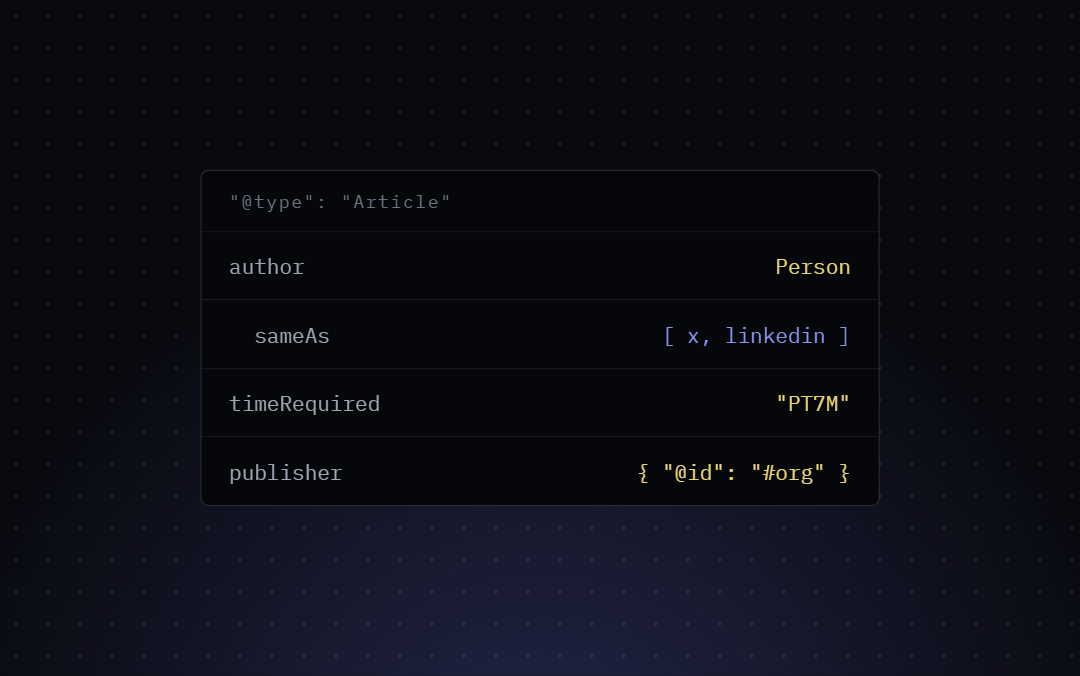
"author": {
  "@type": "Person",
  "name": "Alex Developer",
  "url": "https://yoursite.com/author/alex"
}
Name and URL are automatically mapped to the display name and the author archive URL. There’s no social-profile (sameAs) mapping today — if that would be useful for your site, it’s a reasonable feature request, but it isn’t built yet.
Establishing Authority with Publisher Tokens
The publisher property in Article schema tells Google who is ultimately responsible for the content. This should be an Organization entity.
Bricks SEO centralizes this configuration. In the plugin’s Schema settings, you define your Organization once — name, logo, the works — and every Article node references it by @id, keeping the JSON-LD clean and interconnected:
"publisher": {
  "@id": "https://yoursite.com/#organization"
}
Implementation in Bricks
Building this requires zero custom code. In your Bricks single post template (or the SEO panel on any post), set the Schema type to “Article” or “Blog posting.” The plugin automatically pulls in the author details and your publisher configuration from your global settings, outputting a valid JSON-LD script in the page <head>.
By leveraging these properties natively within Bricks, you give search engines the context they need to understand who wrote your content and who stands behind it.