
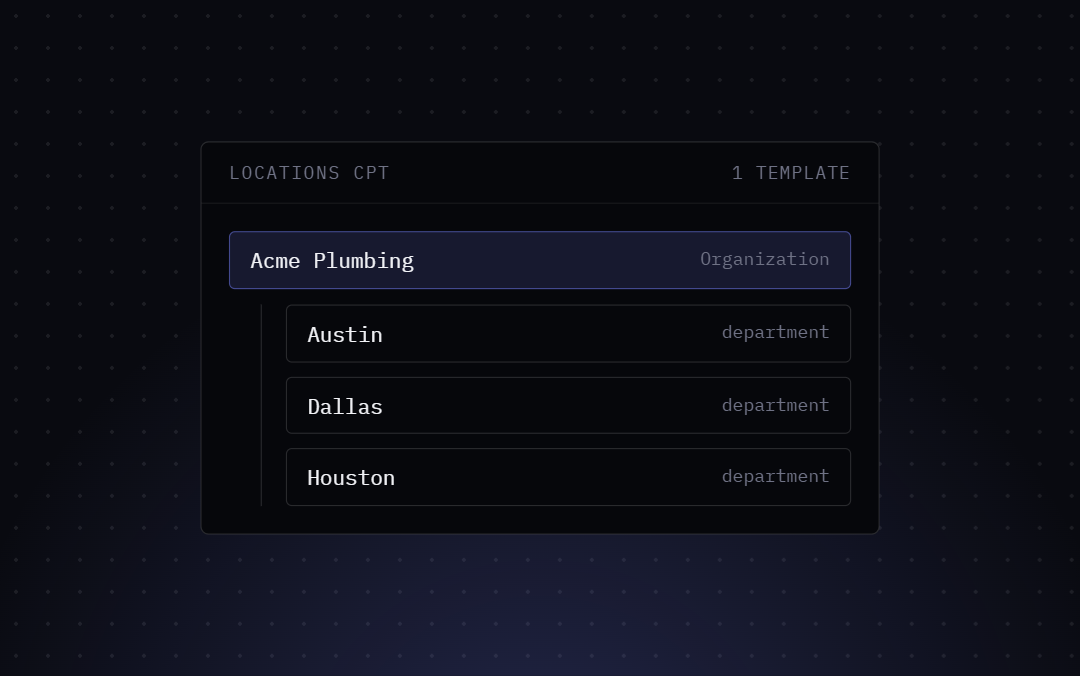
If you run a business with more than one physical location, relying on a single, sitewide LocalBusiness entity is a fast track to confusing search engines. Google needs absolute clarity to understand that your Austin branch and your Dallas branch are two completely distinct entities, each possessing its own unique address, local phone number, operating hours, and geographic coordinates. Mixing these signals across your website can severely damage your chances of ranking in the coveted Local Map Pack.
Traditional SEO plugins often force you to buy expensive “Local SEO” add-ons or write complex custom PHP scripts just to output a second address. Bricks SEO completely eliminates this friction. We handle multi-location schema elegantly with a simple, per-page override system that lives right inside the builder.
How it works
- Build one page per location in Bricks, the way you normally would.
- Open the SEO panel on that page and switch to the Local SEO tab. Toggle “Override business details for this page.”
- Fill in that location’s address, phone number, price range, coordinates, and opening hours — the same fields as your global Local SEO settings, just scoped to this one page.
- Save. This page now outputs its own
LocalBusinessnode with its own@id, independent of your site-wide default.
Pages that don’t set an override keep using your global Local SEO settings exactly as before — nothing changes for a single-location site.
What this does to your KML file
/locations.kml automatically picks up every page with an override enabled and lists each one as its own placemark — name, address, phone, and coordinates — so your multi-location KML stays in sync with your location pages without any extra configuration.
What this doesn’t do
There’s no automatic page generation — you still build each location page yourself in Bricks, the way you’d build any other page. This feature solves the schema/data side of multi-location local SEO, not the content side.